Taking payment
The payment screen, and what happens with each way a customer can pay.
Read the payment screen
Tap the green Charge button and the Payment screen opens.
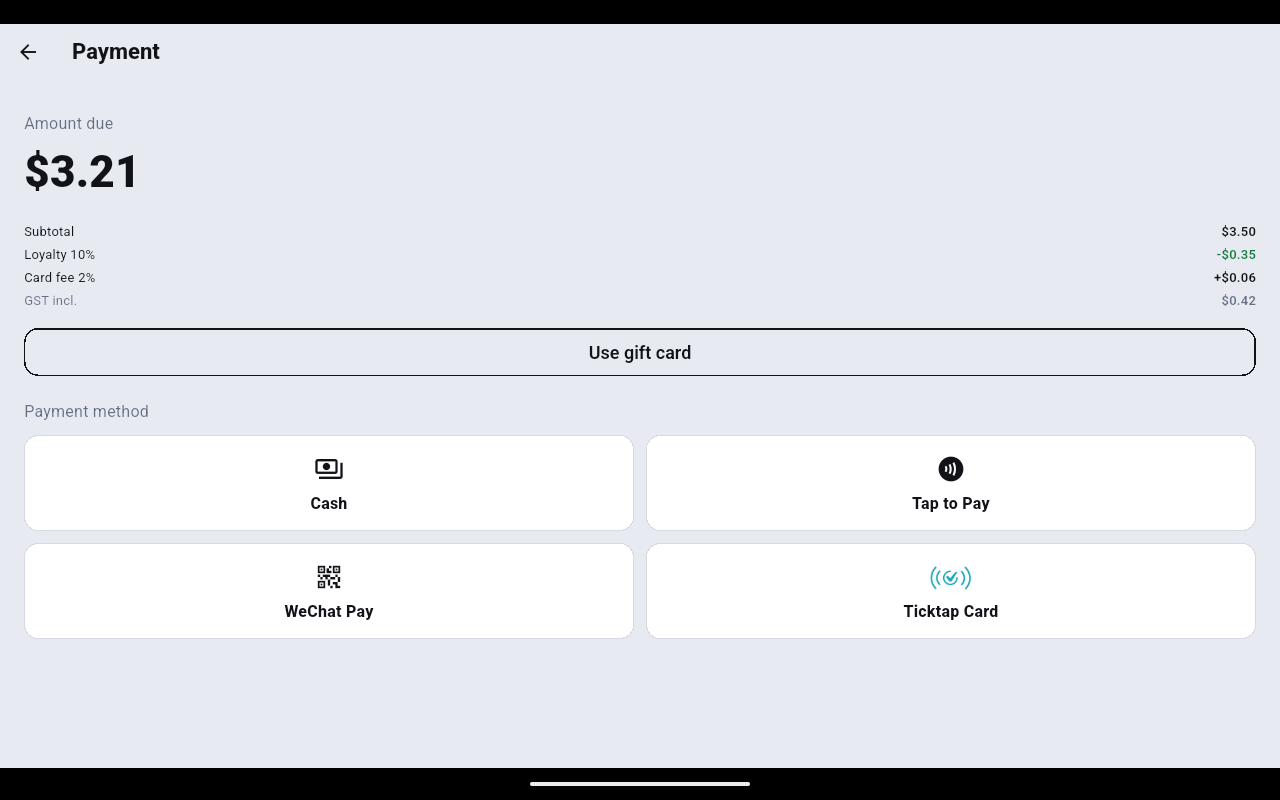
- Subtotal is the cart at full price.
- Each discount the sale has earned gets its own green line — the member's own discount, any loyalty discount the store runs, and the manual Discount you keyed in.
- Any surcharge your back office has set appears as a plus line, for example Card fee 2%.
- GST incl. is the tax already inside the total, not something added on top.
Cash
- Tap Cash.
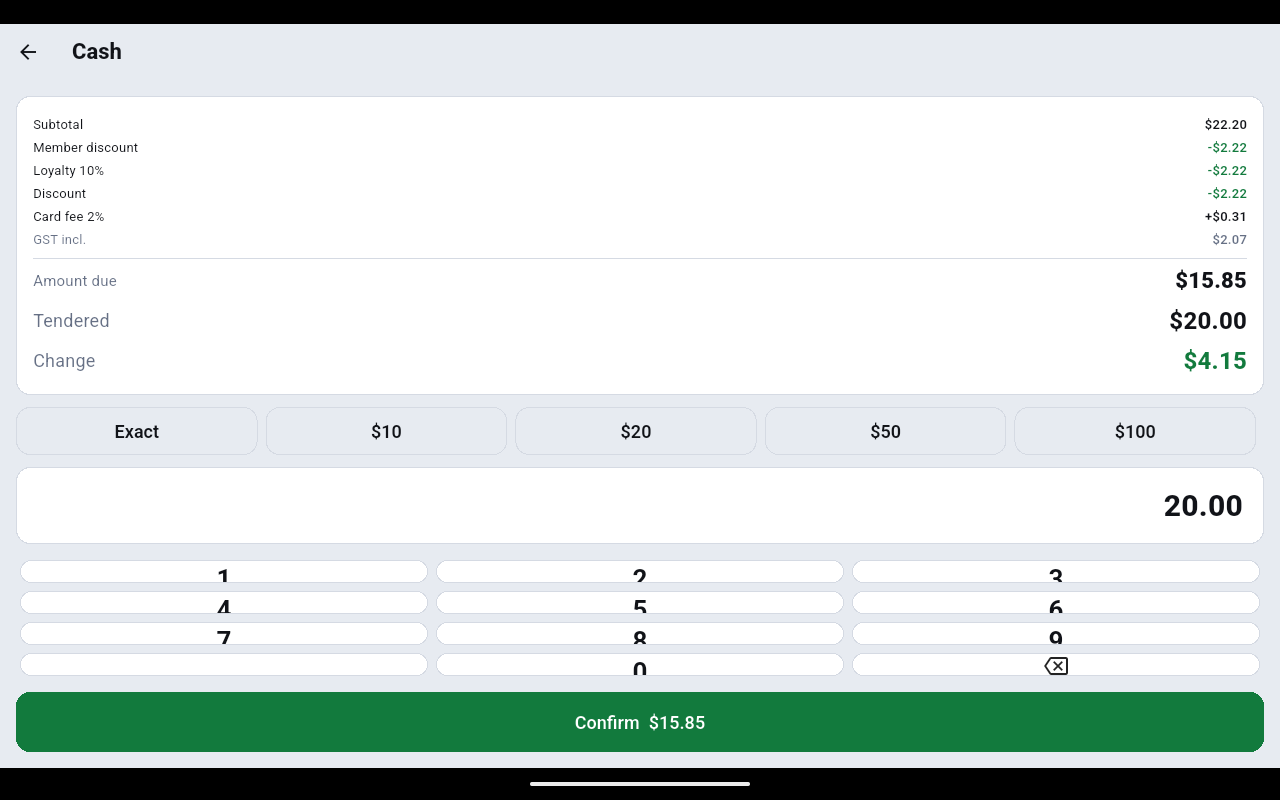
- Tap Exact, or one of the $10 / $20 / $50 / $100 quick keys, or key the amount the customer handed you on the keypad.
- Tendered and Change update as you type. Read the change back to yourself before you open the drawer.
- Tap Confirm. A green bar confirms the sale with its order number, the amount and the change.
Card and contactless
Under Payment method the card and wallet tiles are Tap to Pay, Ticktap Card and WeChat Pay.
- Tap Tap to Pay to take a contactless card or phone on the terminal itself. Follow the prompt and have the customer hold their card or phone to the device.
- Tap Ticktap Card to charge a TickTap member card.
- Tap WeChat Pay to show a QR code for the customer to scan; the till waits for the payment to confirm.
- When the payment is approved the till completes the sale and shows the order number.
The tiles you see depend on what the store has turned on. Card acceptance is set up under ⋮ → General settings → Payment terminal.
Gift card
- Tap Use gift card above the payment methods.
- Scan or type the number into Card number (printed) and tap OK.
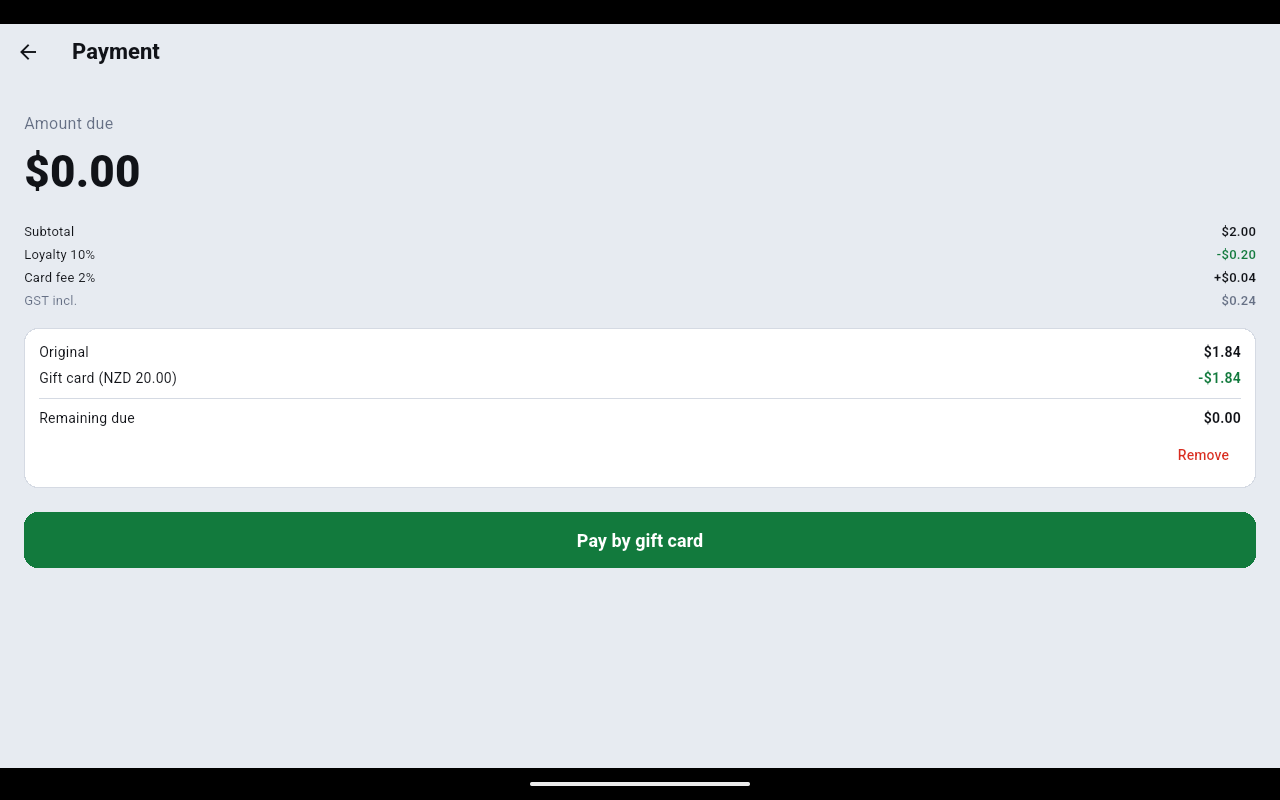
- A panel shows the Original amount, how much the card covers, and the Remaining due. If the card covers everything, Amount due drops to $0.00.
- Tap Pay by gift card. If money is still owing, take the rest with one of the payment methods instead.
If the card is PIN-protected the charge comes back as Gift charge rejected — take payment another way. Nothing has been taken off the card; collect the money by another method.
Points
- Attach the member to the sale before you tap Charge — the points button only appears when a member is on the sale, and it shows their balance, e.g. Use points (500).
- Tap it. Redeem points shows Available and Max here — the most the sale can absorb.
- Key how many to spend, or tap Max, then tap OK. Anything still owing is taken with a normal payment method.
Once points or a gift card are applied, finish or cancel that payment before you change the cart or switch store. The till blocks those actions until the part-payment is settled.