Issuing gift cards
Merchant-wide task for alliance stores. You fund a float from your own balance, register blank cards, then sell each one by setting its PIN and loading value. Find this under Members → Gift card issuance.
Fund the float
- Open Members and click Gift card issuance. The Gift float balance at the top is the money available to load onto cards.
- Under Fund the float, enter an Amount and click Fund. The money moves from your own balance into the float.
Register and sell cards
- Under Issue cards, paste the card numbers — one per line — and click Issue cards. They are registered inactive, with no PIN or balance yet.
- Under Sell a card, enter the Card number, set a PIN (4–8 digits) and the Amount to load, then click Activate + load. The value comes out of the float.
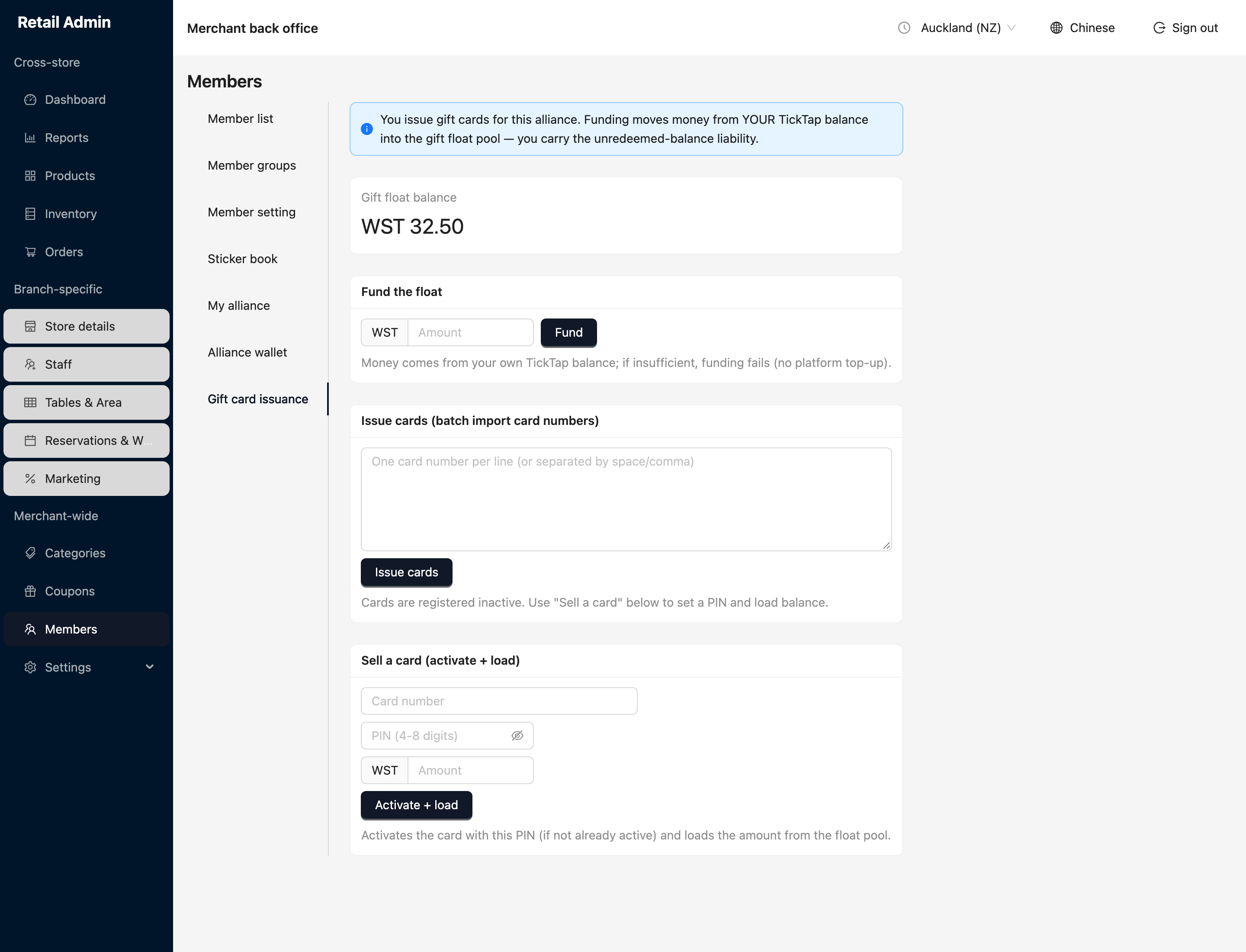
You carry the liability for every balance you load until a customer spends it. If your own balance is short, funding the float just fails — there is no platform top-up.