Online orders
Orders customers placed in your e-shop. They carry delivery details, a payment state and a settlement state that in-store orders do not have.
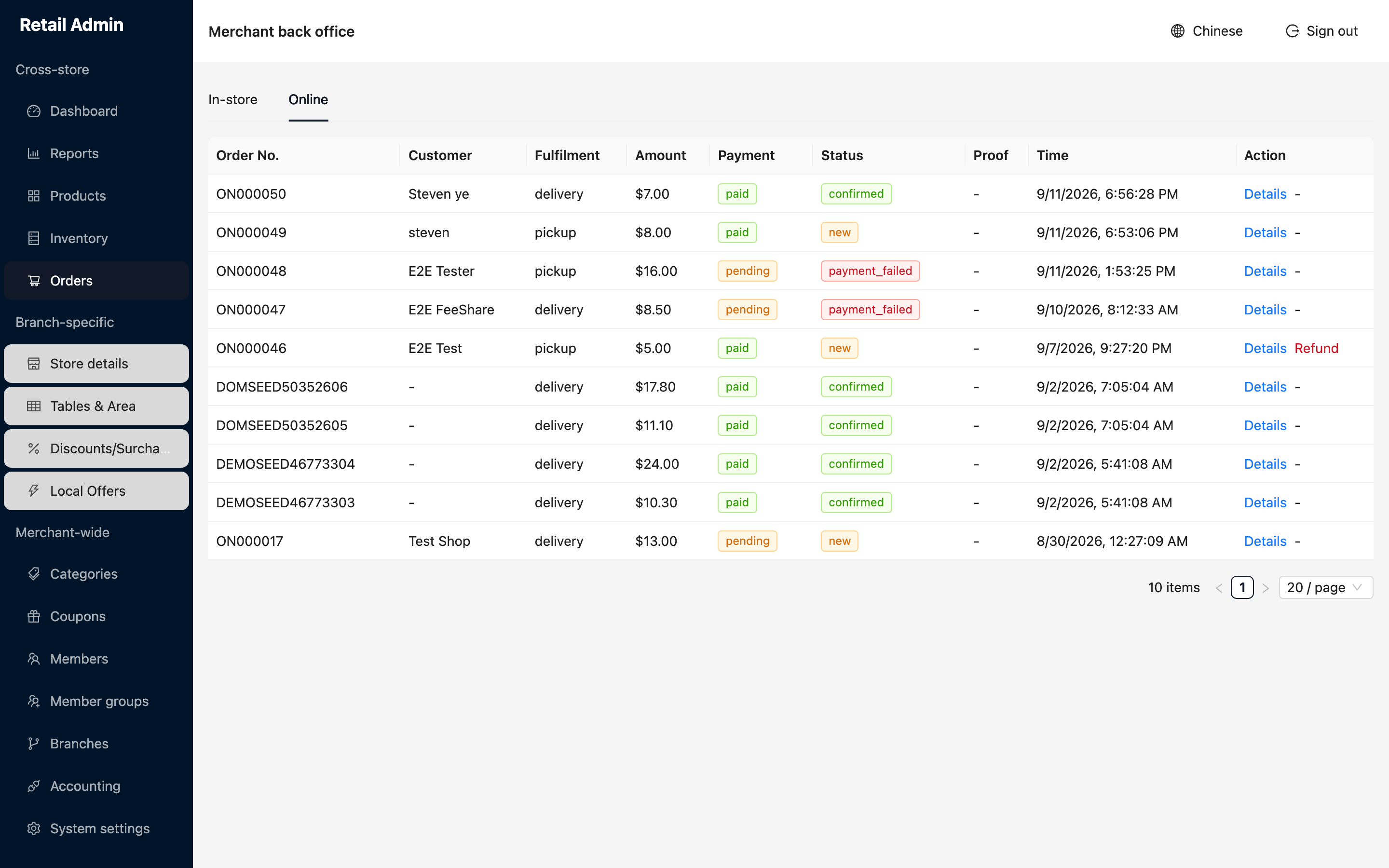
- Click Orders and switch to the Online tab.
- Read the two states side by side: Payment (paid, pending, refunded, failed) and Status (new, confirmed, payment_failed). An order can be confirmed only once payment lands.
- Check the Proof column for proof of delivery. It shows a dash on every order that has none.
- Click Details for the full record: customer, fulfilment, settlement, subtotal, delivery fee, tax, total, courier, the items, the delivery address and a timeline of what happened when.
Refund an online order
- Click Refund on the row. A confirmation asks Refund this online order?
- Read what it says it will do: reverse the card charge to the customer and cancel the order, restocking it if it has not been delivered yet.
- Click Refund to go ahead, or Cancel to back out.
An online refund is blocked once the order has settled or the four-hour refund window has passed. After that you have to settle it with the customer outside the system.