Holding a sale
Park a customer who has gone back for one more thing, serve the next person, then pick the sale back up.
Hold it
- With items in the cart, tap Hold.
- Type something you will recognise in Note (optional) — the prompt suggests a customer name or phone number.
- Tap Hold. The message Sale held appears, the cart empties, and a clipboard icon with a count badge appears in the top bar.
Bring it back
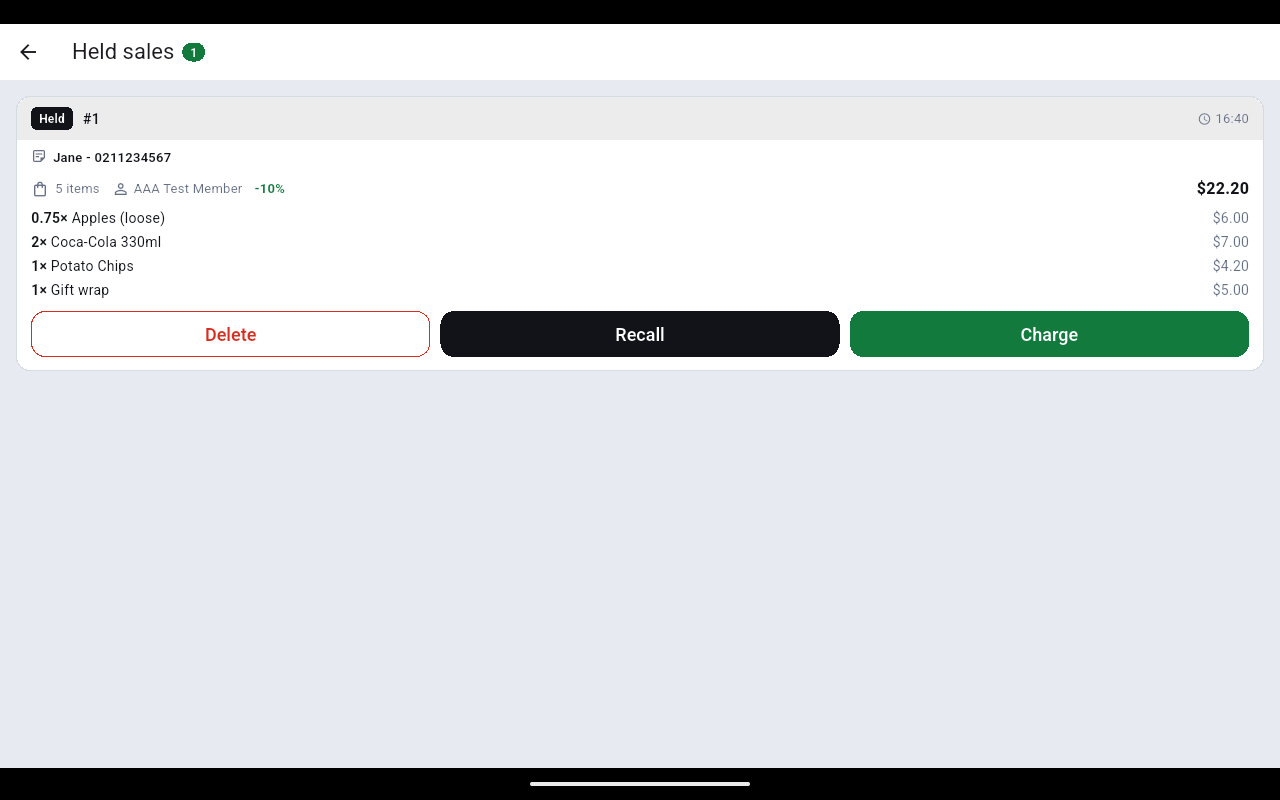
- Tap the clipboard icon in the top bar. The Held sales screen lists every parked sale with its note, item count, member, discount and total.
- Tap Recall to load it back into the cart — items, member and discount all come back — or Charge to go straight to payment.
- Tap Delete if the customer has walked out.
Holding is a local park on this till. If Hold is missing from the footer, switch Hold sales back on under ⋮ → Preference → Layout.