Points and redemption
Merchant-wide task. Decide how fast members earn points and what those points are worth. Find these under Members → Member setting.
Set the earn rate
- Open Members and click the Member setting tab.
- Under Points earn rate (spend needed per 1 point), set for each currency how much a customer must spend to earn 1 point — for example Spend 1 = 1 point for NZD.
- Click Add currency to add a rate for another currency, or Remove to drop one.
Decide what points do
- Under Points function, choose Deduction (points off the bill) to let points come straight off a sale, or Exchange (redeem points for products) to let members trade points for set items.
- If you chose Exchange, go to Redeemable products, click Add product, pick the product and set its Point price. Use the Active switch to turn a reward on or off without deleting it.
- Click Save settings.
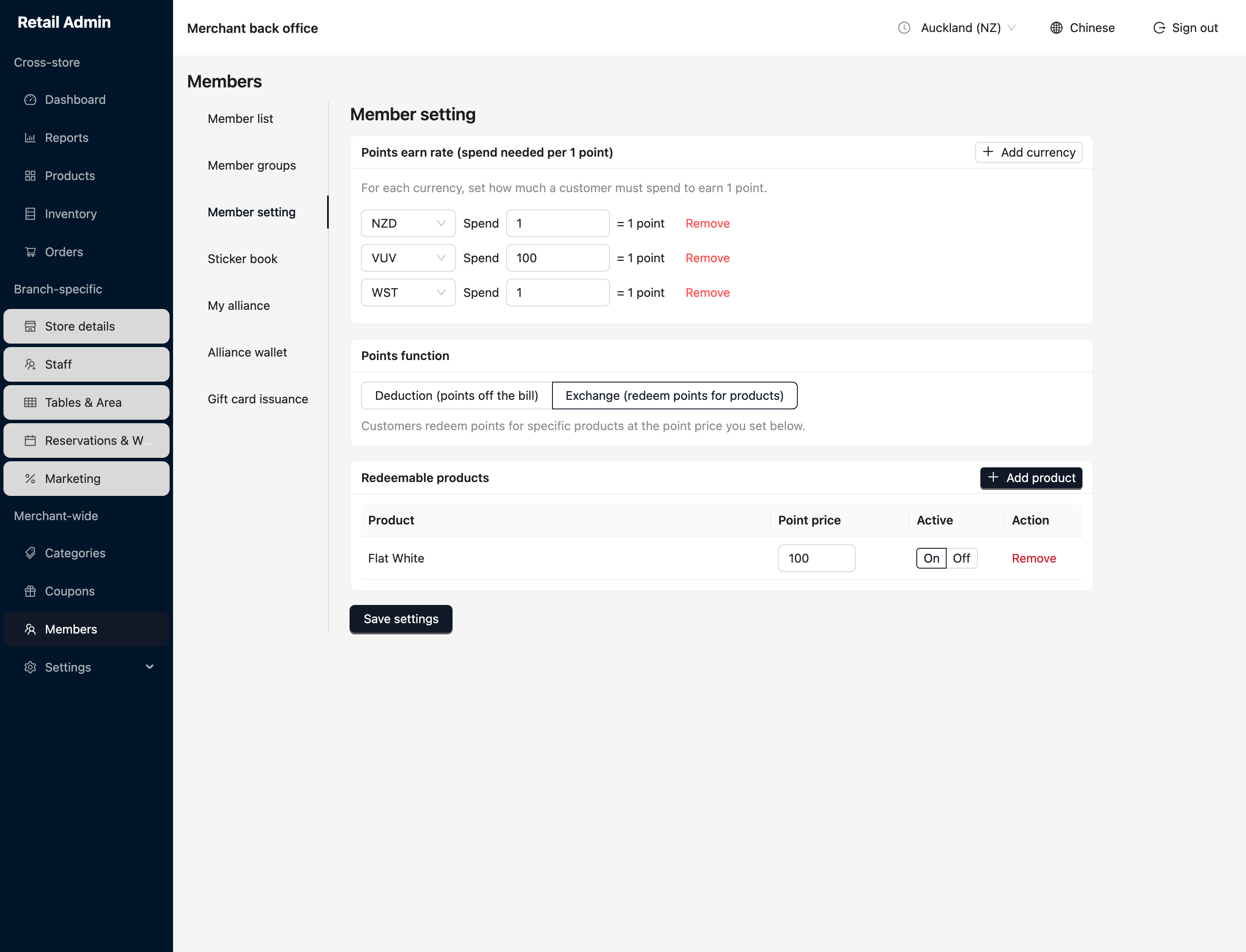
The earn rate and function are merchant-wide — they apply across every branch. Points themselves move as customers spend and redeem at the register.