Dine-in QR ordering
Per-branch task for table service. Each table gets a QR code; a guest scans it to order to their table from their own phone, and the order lands straight on that table's tab on the register.
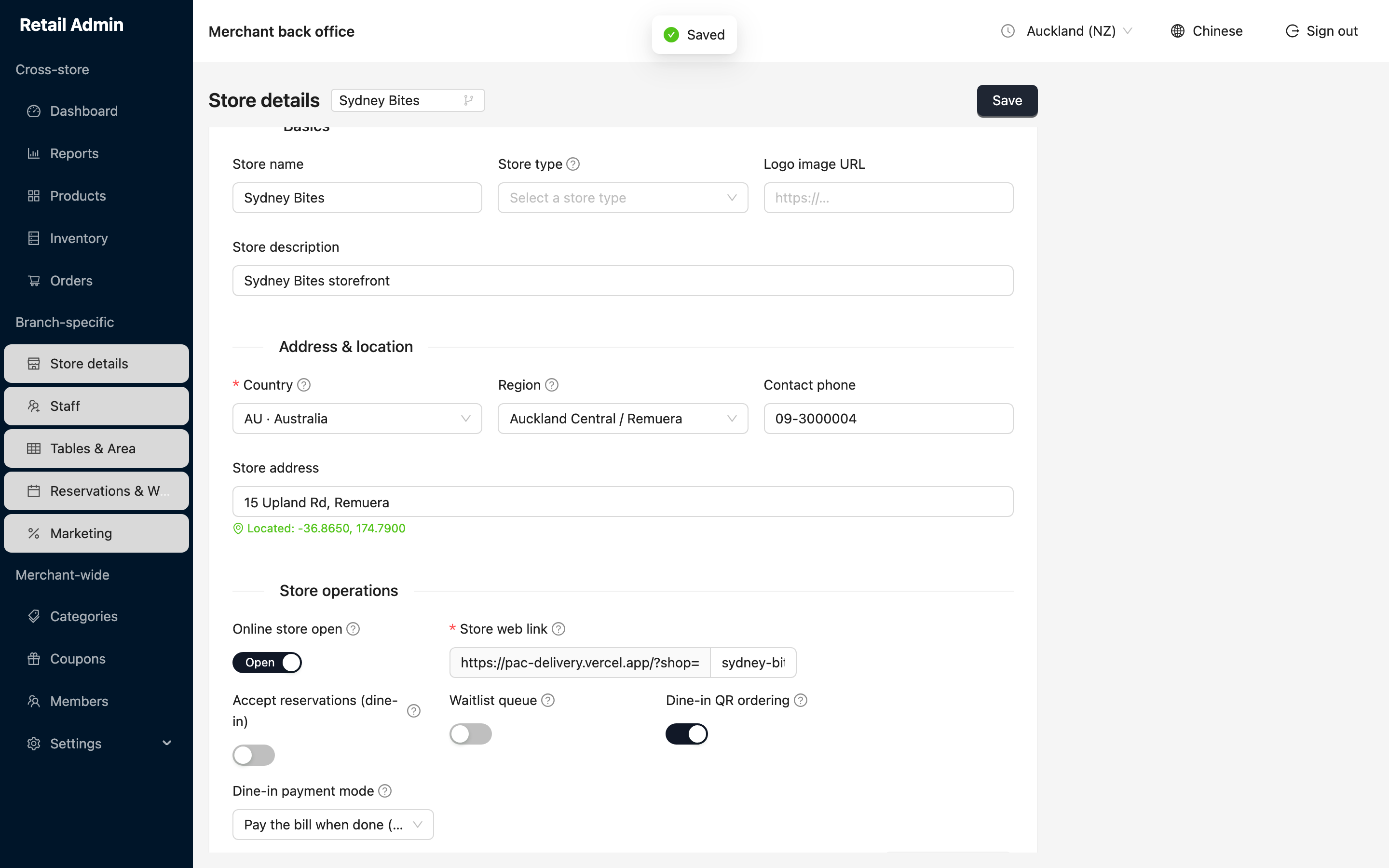
Turn it on for a branch
- Click Store details and confirm the branch in the picker beside the title.
- Under Store operations, turn Dine-in QR ordering on.
- Set Dine-in payment mode to match how this restaurant runs (the three choices are explained below).
- Click Save at the top right. A green Saved message confirms it.
Choose how guests pay
- Counter (pay at counter) — guests order to their table and pay at the counter when they are done. Nothing is charged online; the cashier settles the tab on the register.
- Prepay per round (fast-casual) — each round is paid on the phone before it goes to the kitchen. Good for a counter-service or food-court setup where nothing leaves the kitchen unpaid.
- Pay the bill when done (sit-down) — guests keep ordering to an open tab through the meal, then pay the whole bill on their phone at the end. The table clears once the bill is paid.
In every mode the cashier can still take payment at the register. If a guest has already paid on their phone, the register shows the tab as paid and will not charge it again.
Print the table QR codes
- Click Tables & Area, confirm the branch, and make sure each table exists (see Tables and areas).
- Click Dine-in QR codes. A window shows one QR card per table, each labelled with the table and its area and the web address it points to.
- Click Print all to print the set, then stick each table's code on that table.
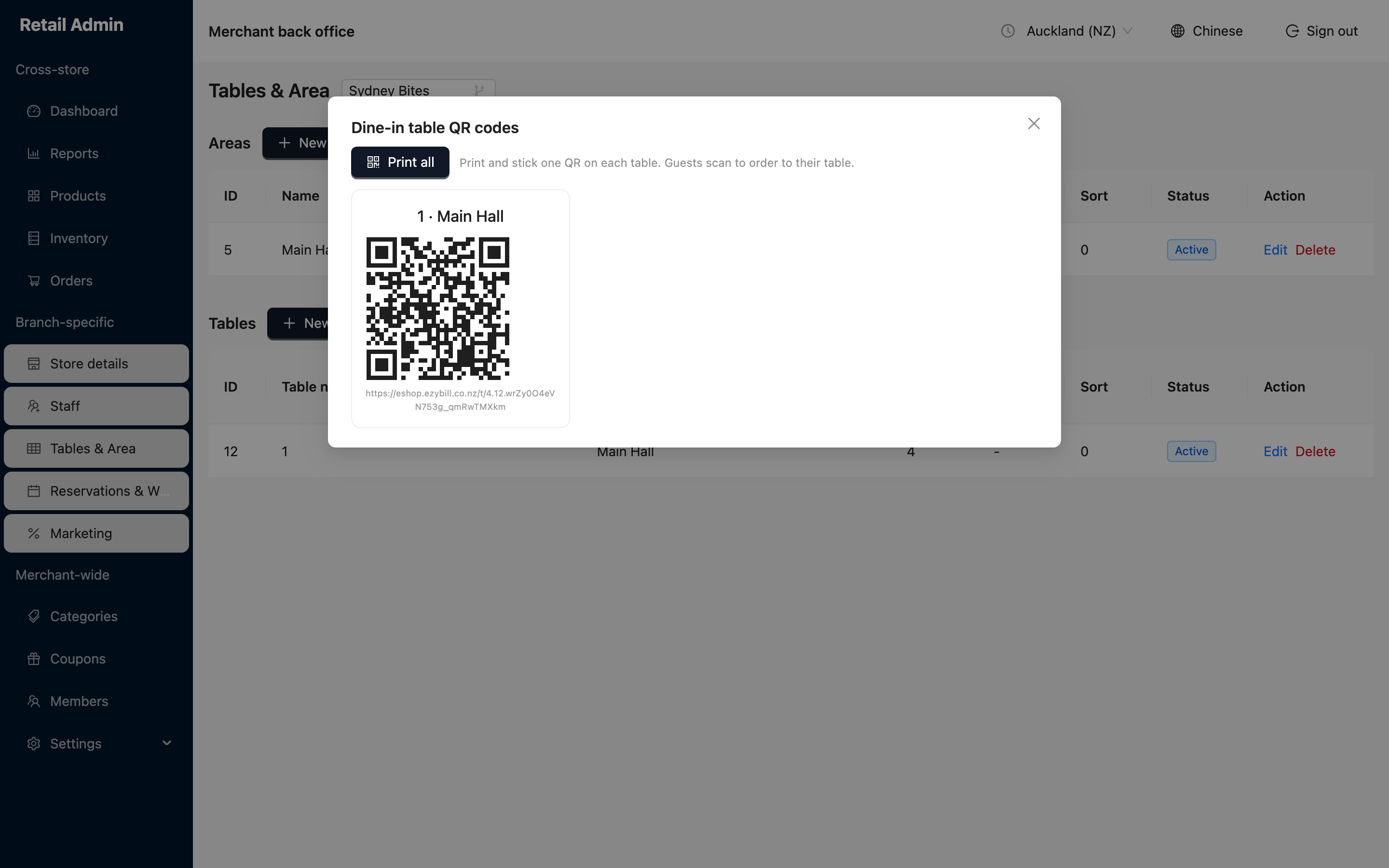
The code carries the table built into it. Put the right code on the right table — a code stuck on the wrong table sends those orders to the wrong tab.