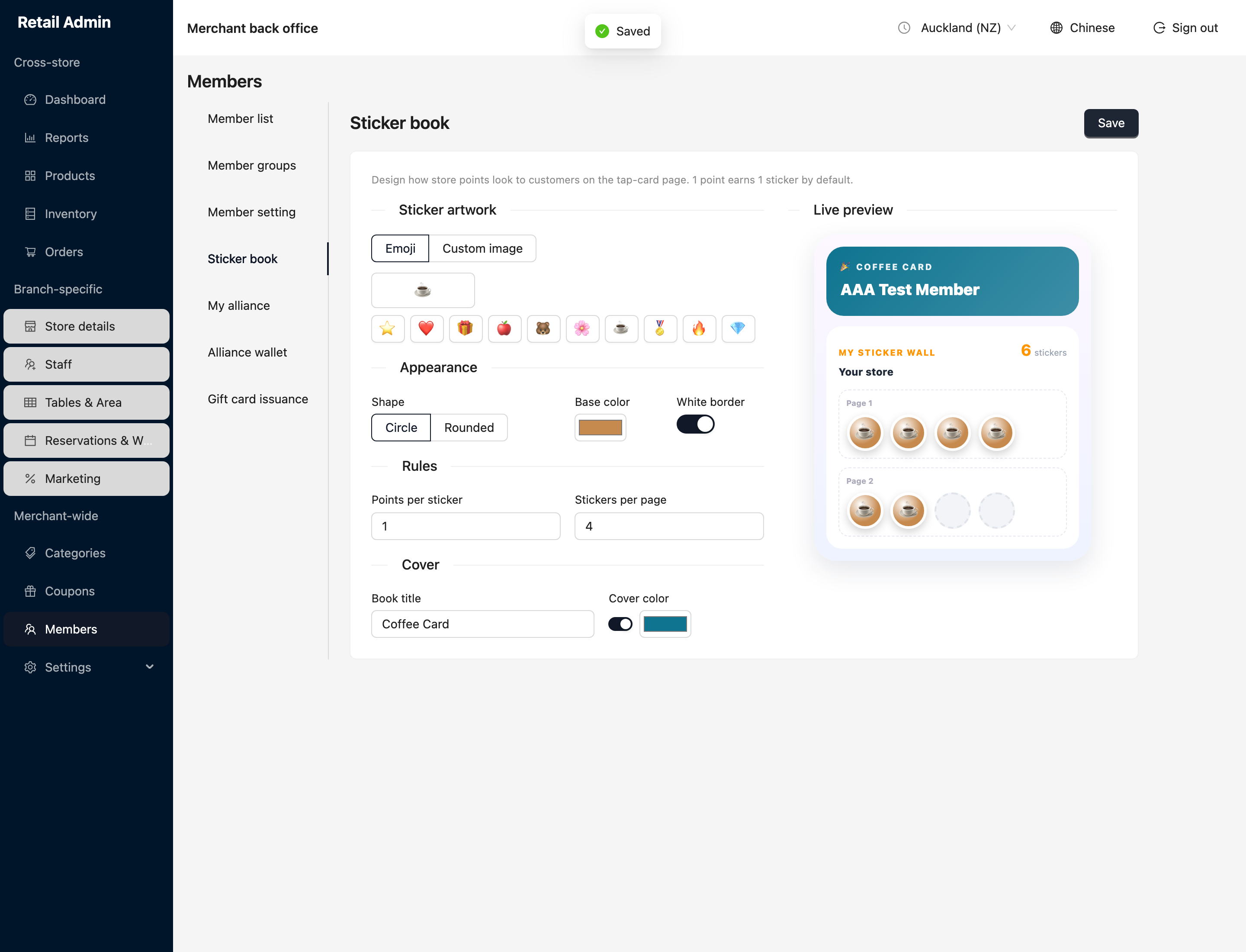
The sticker book
Merchant-wide task. The sticker book is how store points look to a customer on their tap-card page — one point earns one sticker by default. This is pure presentation; it does not change the earn rate.
- Open Members and click the Sticker book tab.
- Under Sticker artwork, pick an Emoji from the row, or switch to Custom image to upload your own.
- Under Appearance, choose the sticker Shape (Circle or Rounded), a Base color, and whether each sticker has a White border.
- Under Rules, set Points per sticker and Stickers per page.
- Under Cover, set the Book title and Cover color.
- Watch the Live preview update as you go, then click Save.