Your alliance
Merchant-wide task, only for stores the platform has placed in an alliance (a shared loyalty circle). Members of the alliance earn shared points across every member store. Find this under Members → My alliance.
- Open Members and click the My alliance tab. The top card shows your alliance name, whether it is Active, and how many members and member stores it has.
- Under Points earn rates, set how many points a member earns per 1.00 of eligible spend at any member store: pick the Currency, enter the rate and click Set rate. Use Delete to remove a currency's rate.
- Under Enrol a member, type one of your members' Member ID and click Enrol to add their card to the circle.
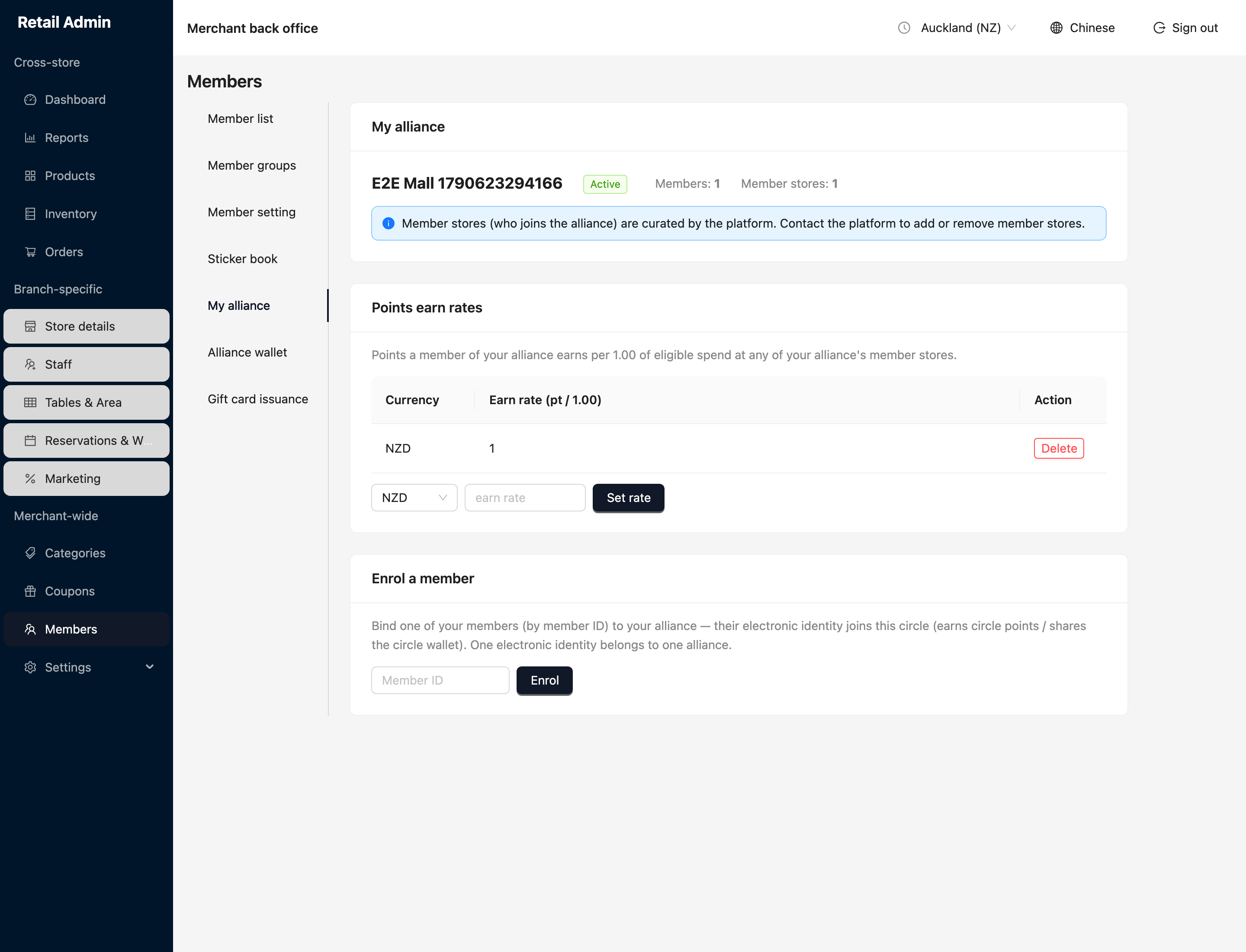
Who belongs to the alliance (the member stores) is curated by the platform — contact the platform to add or remove stores. A member's card can belong to only one alliance at a time.