Members and their balances
Merchant-wide task. Members carry a discount, a stored-value balance and points across every branch.
Add or edit a member
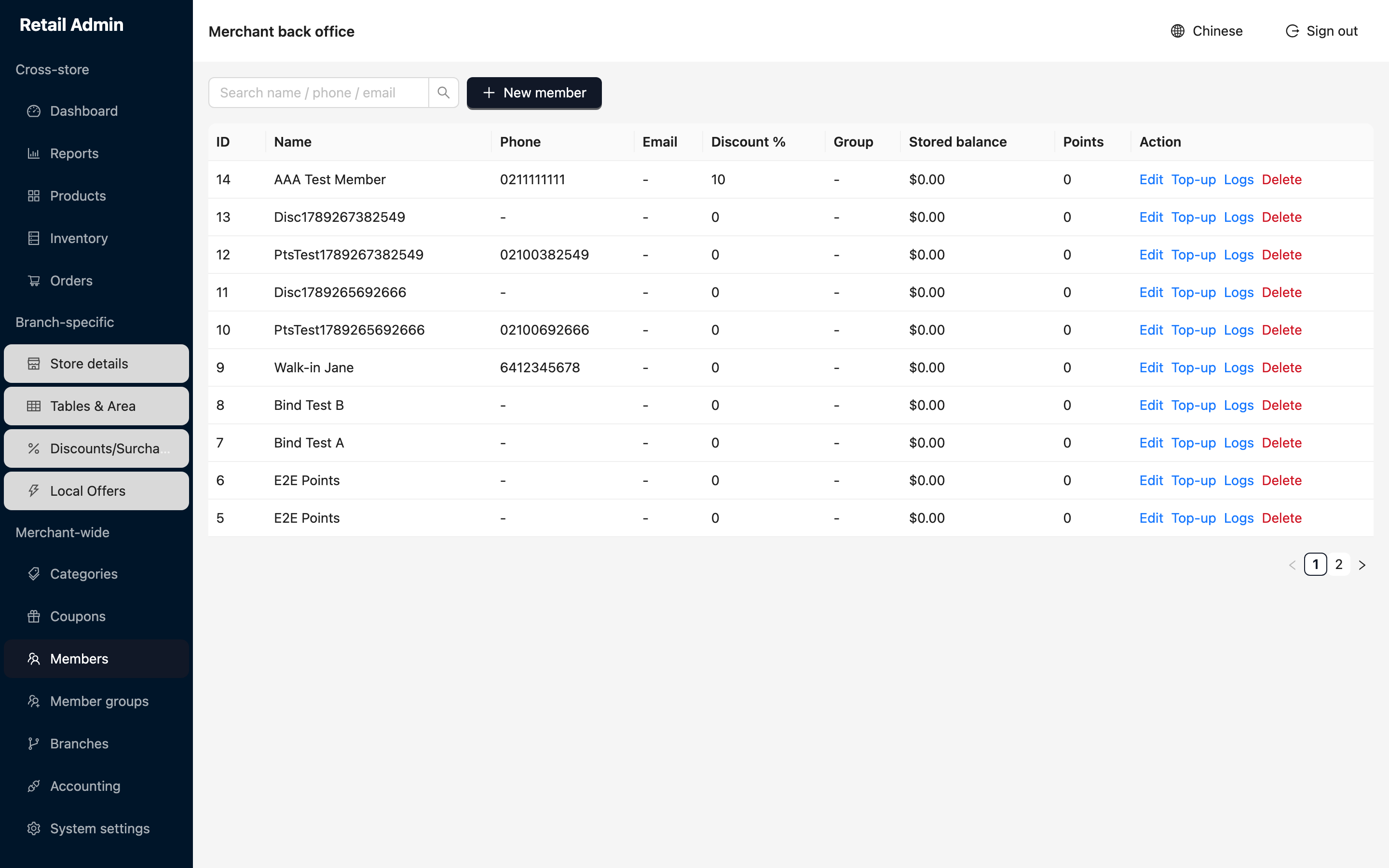
- Click Members. Find someone with Search name / phone / email, or click New member.
- Enter the Name (required), plus Phone and Email.
- Set a personal Discount %, or assign a Group to give them the group's default discount instead.
- Click OK. The row shows the member's discount, group, stored balance and points.
Top up a stored-value balance
- Click Top-up on the member's row. The dialog title shows their current balance.
- Choose the Type: Recharge to add value they have paid for, Spend to take value off by hand, or Expire to write value off.
- Enter the Amount, add a Note, and click OK. The balance in the table updates.
- Click Logs on the row at any time. The Stored-value logs drawer lists every movement with its time, type, amount and note, and reads No data for a member who has never been topped up.
Member groups
- Click Member groups, then New member group.
- Enter the Name and the Default discount %, and click OK.
- The group is then selectable in every member's Group field.
Delete on a member row removes them along with the ability to look up their history. Clear their discount instead if you only want to stop giving them a better price.