Giving a store manager their own login
Owner task. A branch login is how a store manager gets into the back office and the POS app without seeing your other branches.
- Go to Branches and click Account on the branch row.
- In Login (email or username), type the name the manager will sign in with — an email address or a short username such as
welly. - Type a Password. On a branch that already has an account the field shows dots and the hint Leave empty to keep current, so leave it blank unless you are resetting the password.
- Click OK. The row's Account link gains a tick.
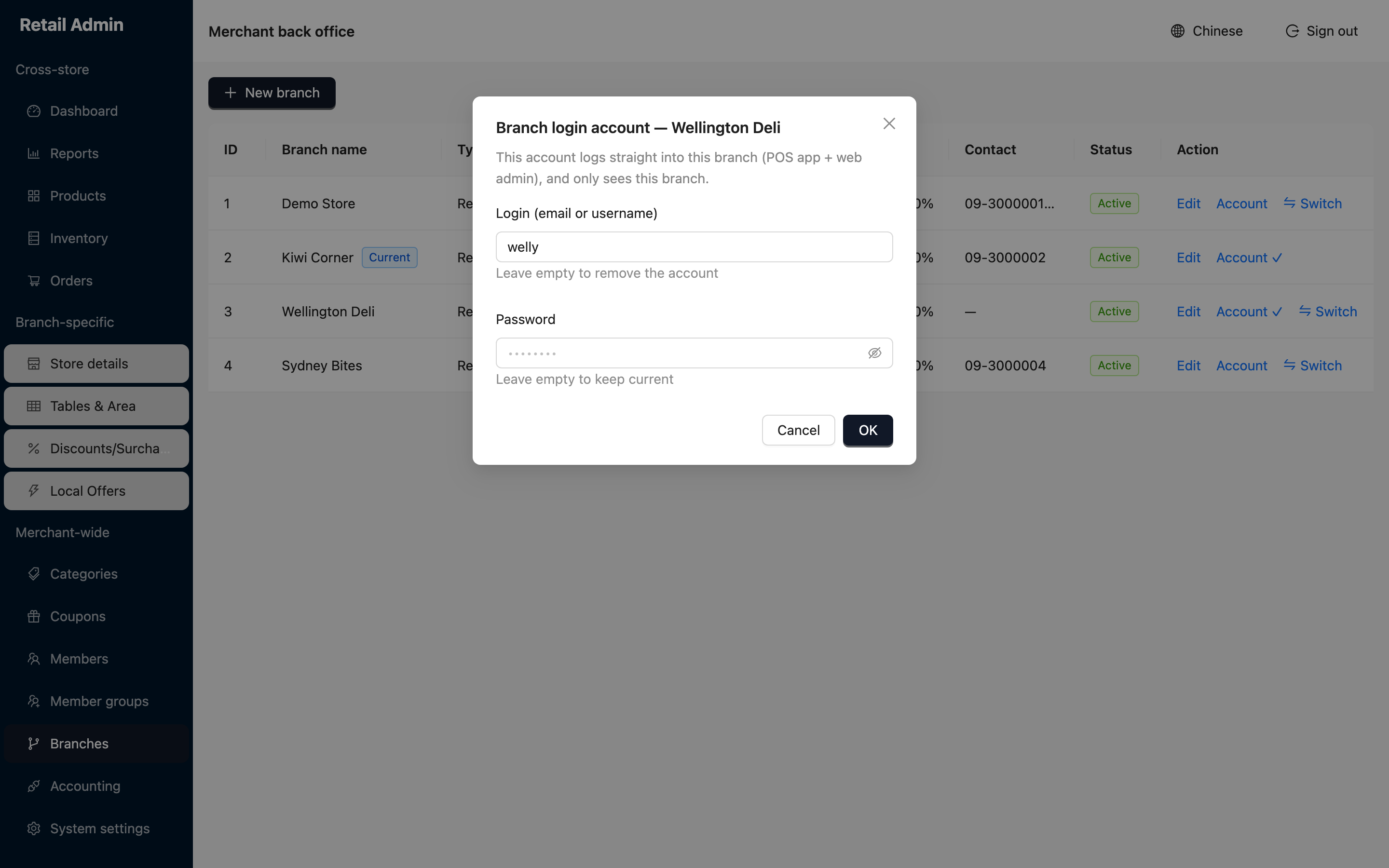
To withdraw someone's access, open the same dialog, clear the Login field and click OK — the hint under the field is Leave empty to remove the account.
There is one login per branch, not one per person. Everyone who uses that branch's account shares the same password, so change it whenever a manager leaves.