The alliance wallet
Merchant-wide view for the alliance manager. When members top up their wallet at any member store, that money settles to you — you hold the float and owe each store for what members spend there. This page is a live summary of all of that. Find it under Members → Alliance wallet.
What each panel means
- Wallet liability (member prepaid you back) — the total members have loaded and not yet spent, which is money you still owe them.
- Top-up by store (deposit orders) — how much each member store has taken in member top-ups, with a count.
- Payable to stores (cross-store spend to settle) — when a member spends at a store that is not the one holding their float, you owe that store. Each row is a balance you still have to settle.
- Recent activity — the latest top-ups and spends across the alliance, each showing the amount, the store, the member and the time.
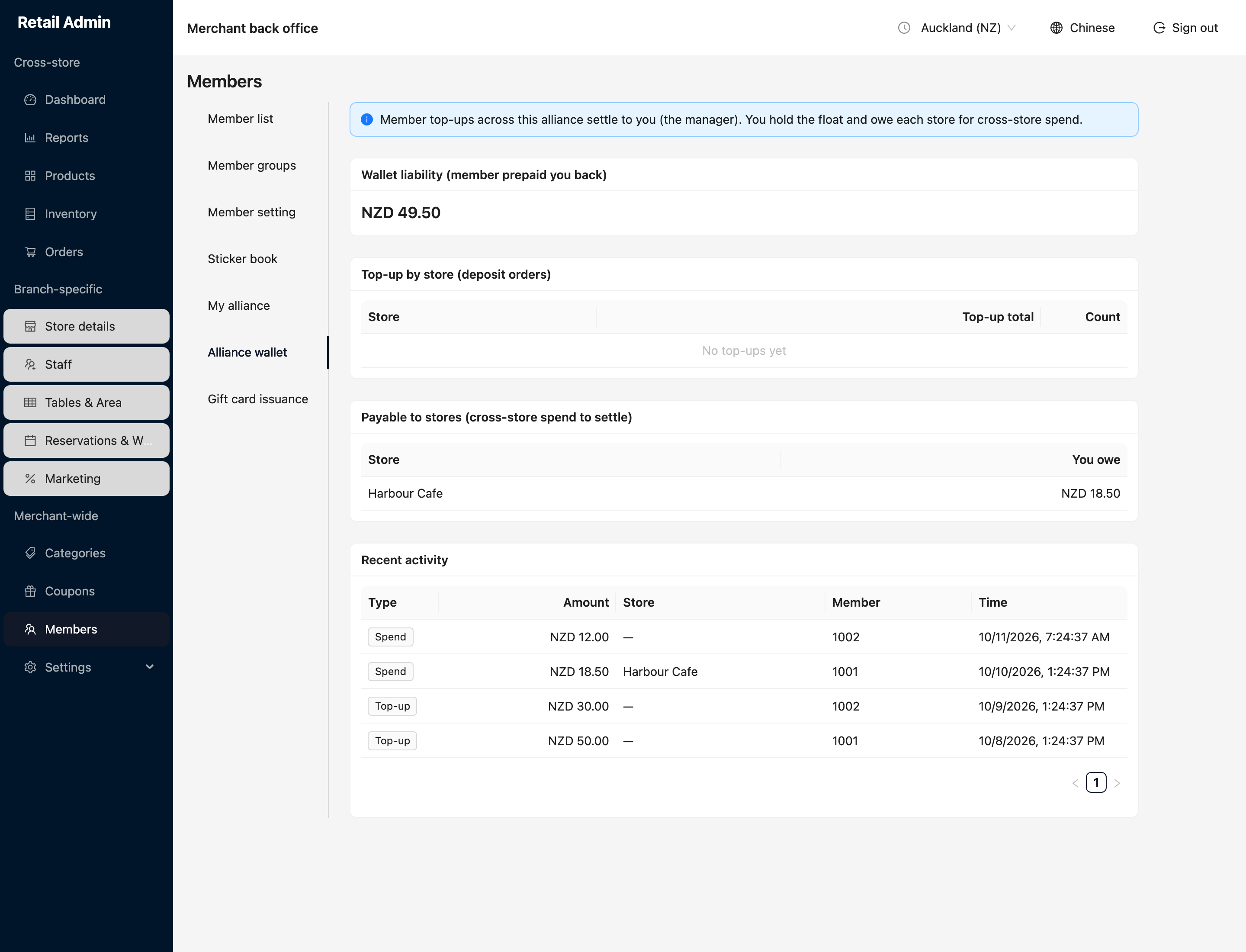
This tab only shows for the alliance's manager store — the one that holds the float.