Working offline
What changes when the till loses its connection, and how to get the sales back up afterwards.
Selling with no connection
The till notices the moment a sale cannot reach the server and drops into offline mode. An orange bar appears under the top bar reading Offline — sales saved locally, sync when online, with a count of pending sales on the right.
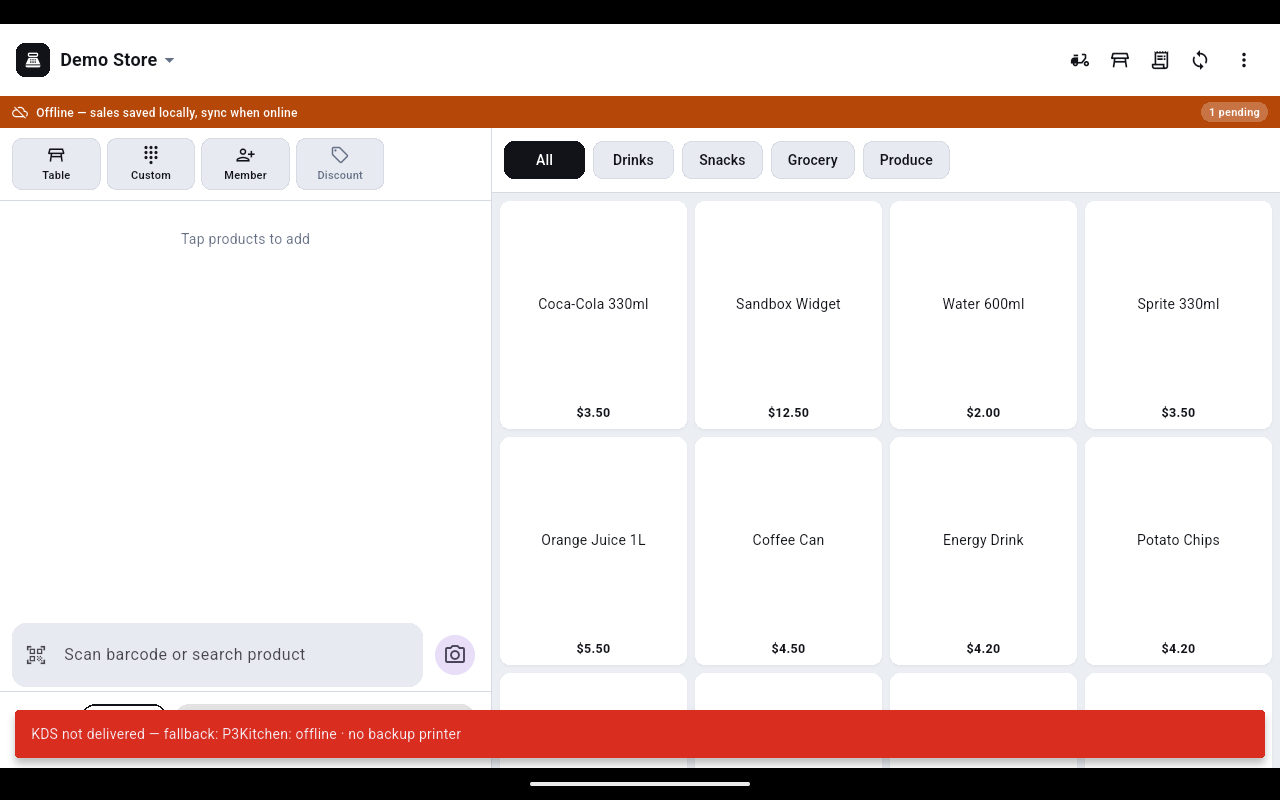
While it is up:
- The payment screen offers Cash only — no card, no gift card, no points.
- Member and order discounts are not applied, so the customer pays the plain shelf price.
- The sale is stored on the device with a reference starting
OFF-.
Tell the customer before you ring it up that discounts cannot be applied while the till is offline — the amount you collect is the full price.
Get the sales back up
- Tap the pending badge on the orange bar to see Offline orders, each listed with its reference, amount and Waiting to sync.
- Once the connection is back, tap the Sync icon in the top bar.
- The orange bar disappears when everything has gone through, and the sales appear in Orders as normal.
Do not sign out, clear the app or hand the device on while the pending count is above zero — those sales exist only on this device until they sync.